
Keep every promise to yourself.

Unwaver is a daily challenge app for iPhone. Run a 75-day challenge or an ongoing one, with your tasks, food and progress photos in one place, and the things your Apple Watch and Oura already know check themselves off.

Watch a day with Unwaver Coming soon to the App Store

Works with Apple Health, Apple Watch and Oura.

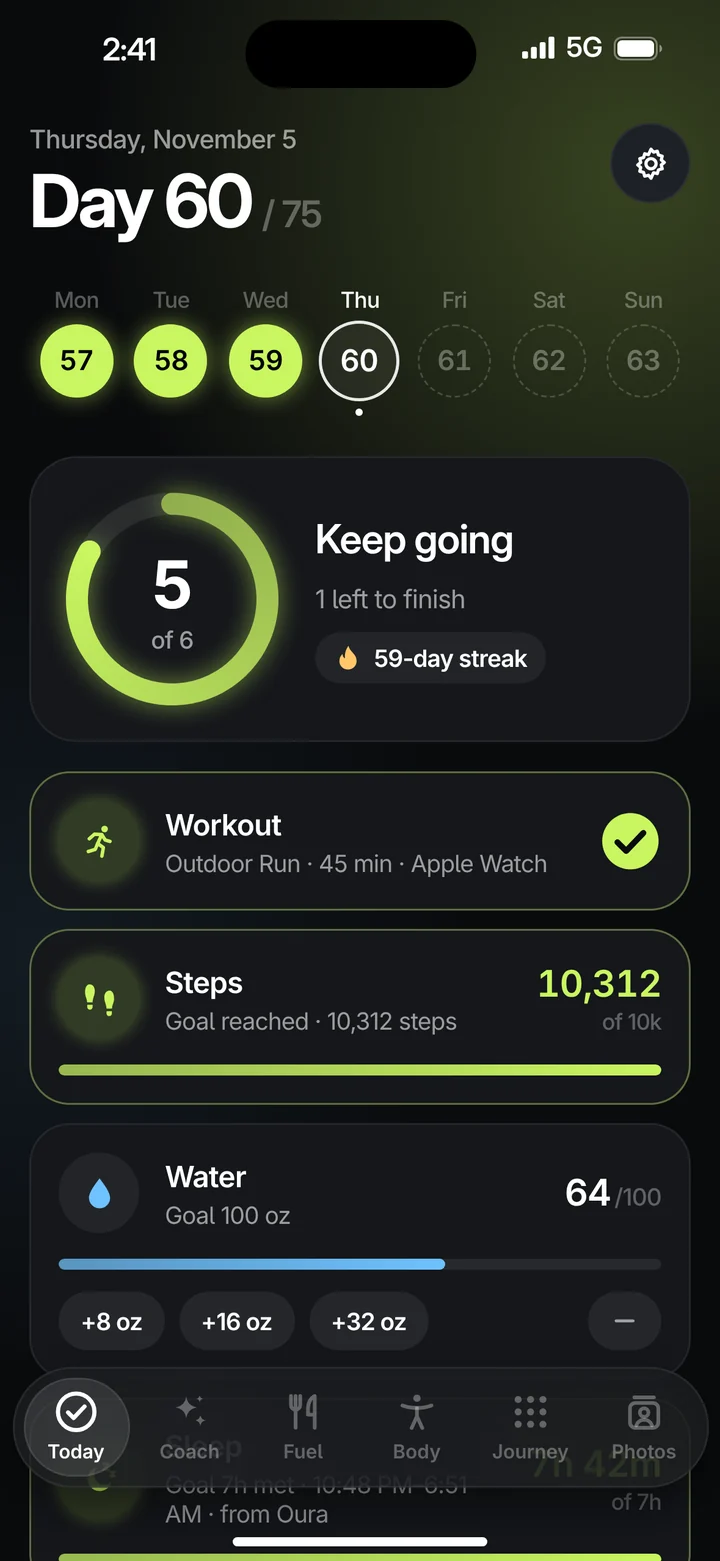
Unwaver’s Today screen on Day 60 of 75: a ring showing 5 of 6 tasks done, a 59-day streak, and a workout checked off from Apple Watch.

90 seconds

A day with Maya.

Day 60 of her 75-day challenge, from the morning run to the ring closing at night. Every screen in it is the real app.

One ring for the whole day.

Every promise you made for today sits in a ring on the Today screen. Most of them close it for you.

  1. Morning

    Your run checks itself off.

    Finish a run with your Apple Watch and the workout is done. Steps fill in from Apple Health, and last night’s sleep arrives from Oura. You only open the app to see what’s left.

    WorkoutOutdoor Run, 45 min, Apple Watch
    Today screen with the day’s ring at 5 of 6 tasks.
  2. This week

    Weekly goals, counted on your week.

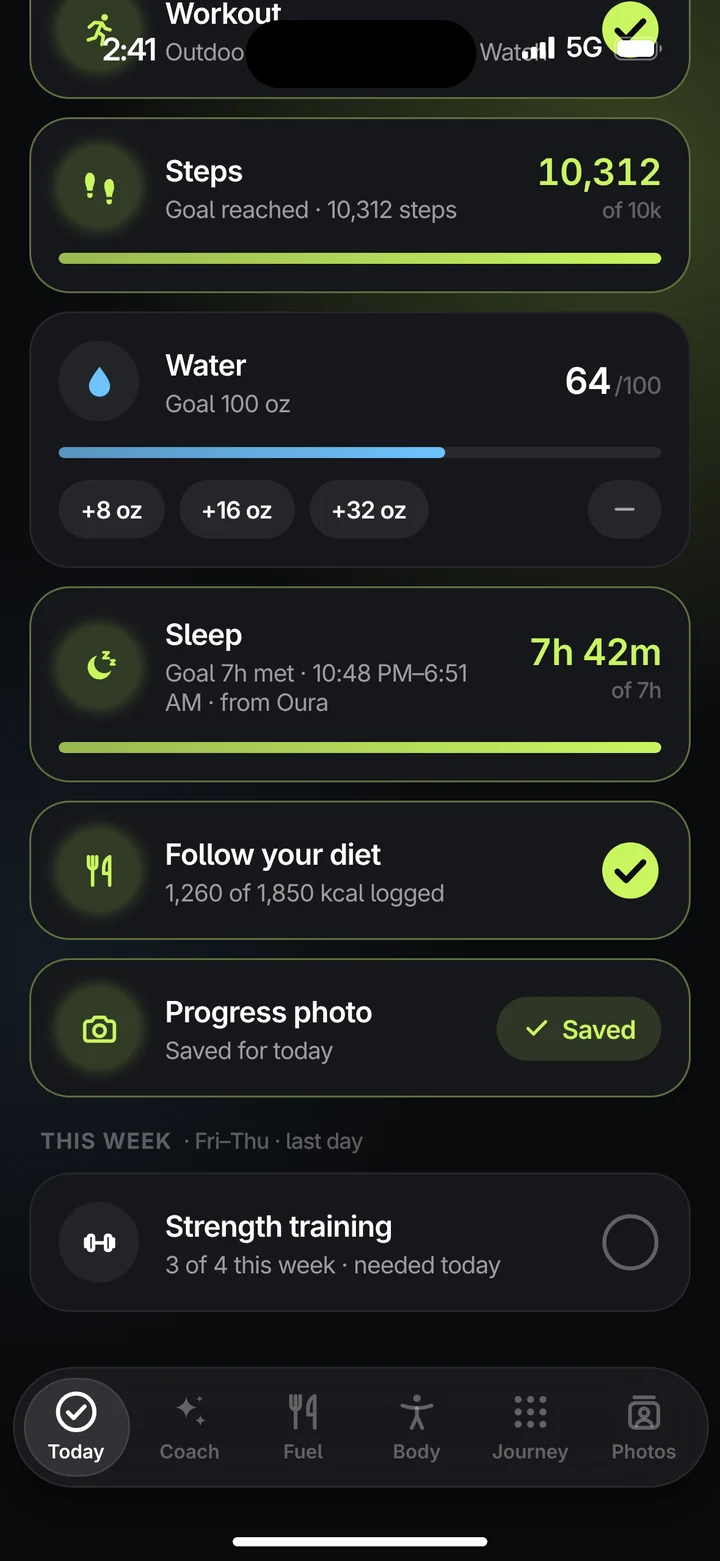
    Some promises aren’t daily. Set “strength training 4× a week” and Unwaver counts it on your own challenge week, which starts the day you started, not on a Monday.

    Today screen showing the weekly goal Strength training, 3 of 4 this week.
  3. All day

    The day on your Lock Screen.

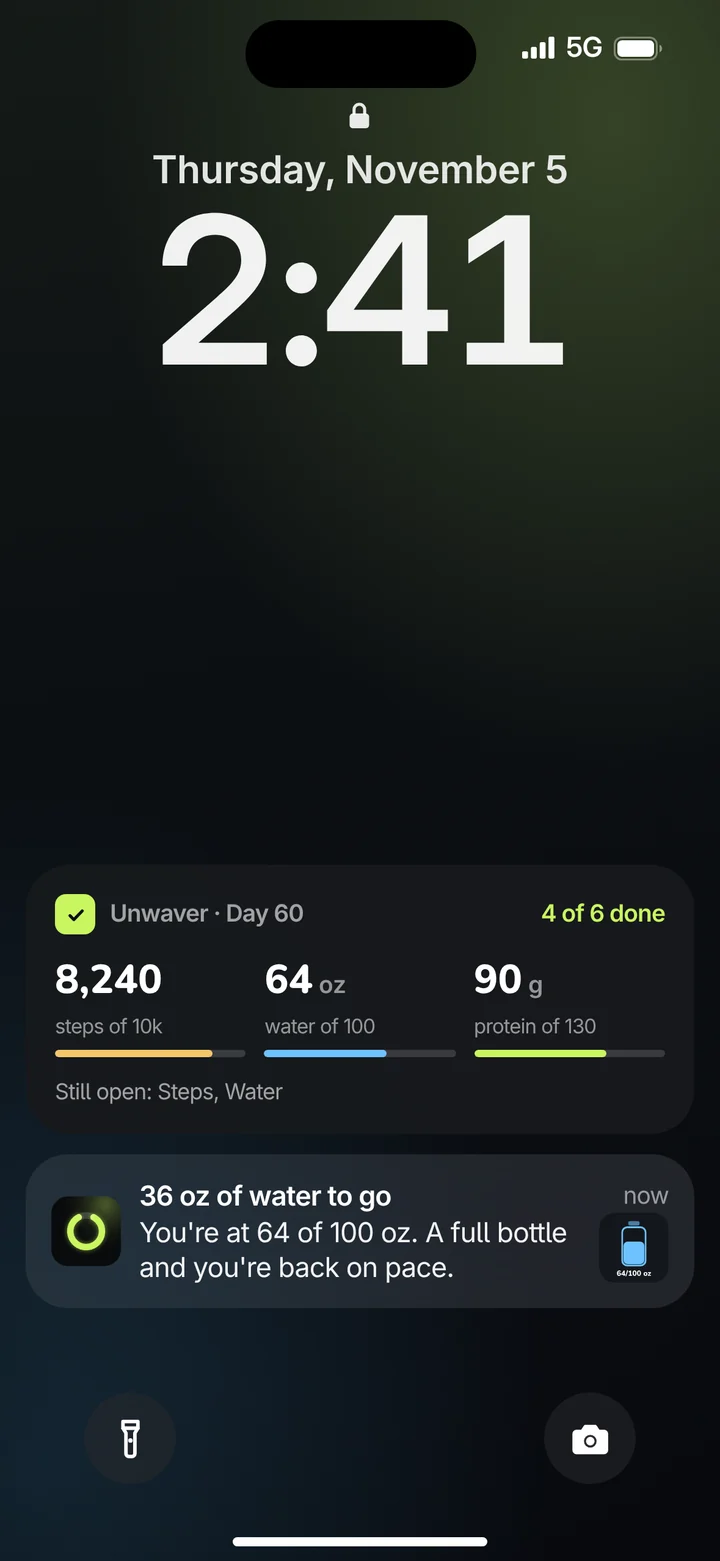
    A Live Activity keeps steps, water and protein on your Lock Screen, with what’s still open, so you know where you stand without unlocking your phone.

    Lock Screen with an Unwaver Live Activity: 8,240 steps, 64 oz water and 90 g protein, 4 of 6 done.
  4. Afternoon

    Reminders that say what’s left.

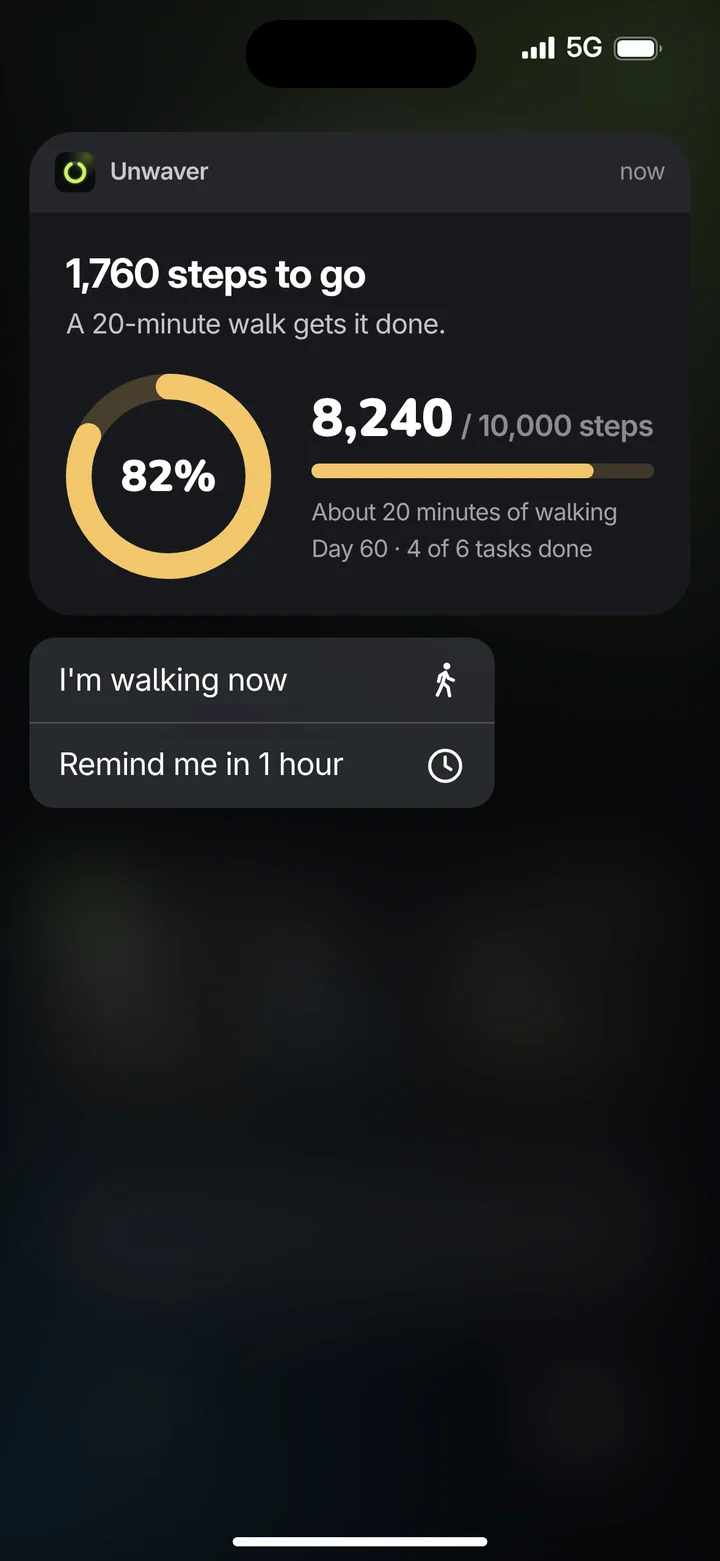
    Smart reminders arrive with a picture and a chime, and tell you exactly what it takes to finish. Press and hold one to see the full card with your progress.

    Expanded notification: 1,760 steps to go, a 20-minute walk gets it done, 8,240 of 10,000 steps.
  5. Dinner Pro

    A plan built around what’s left.

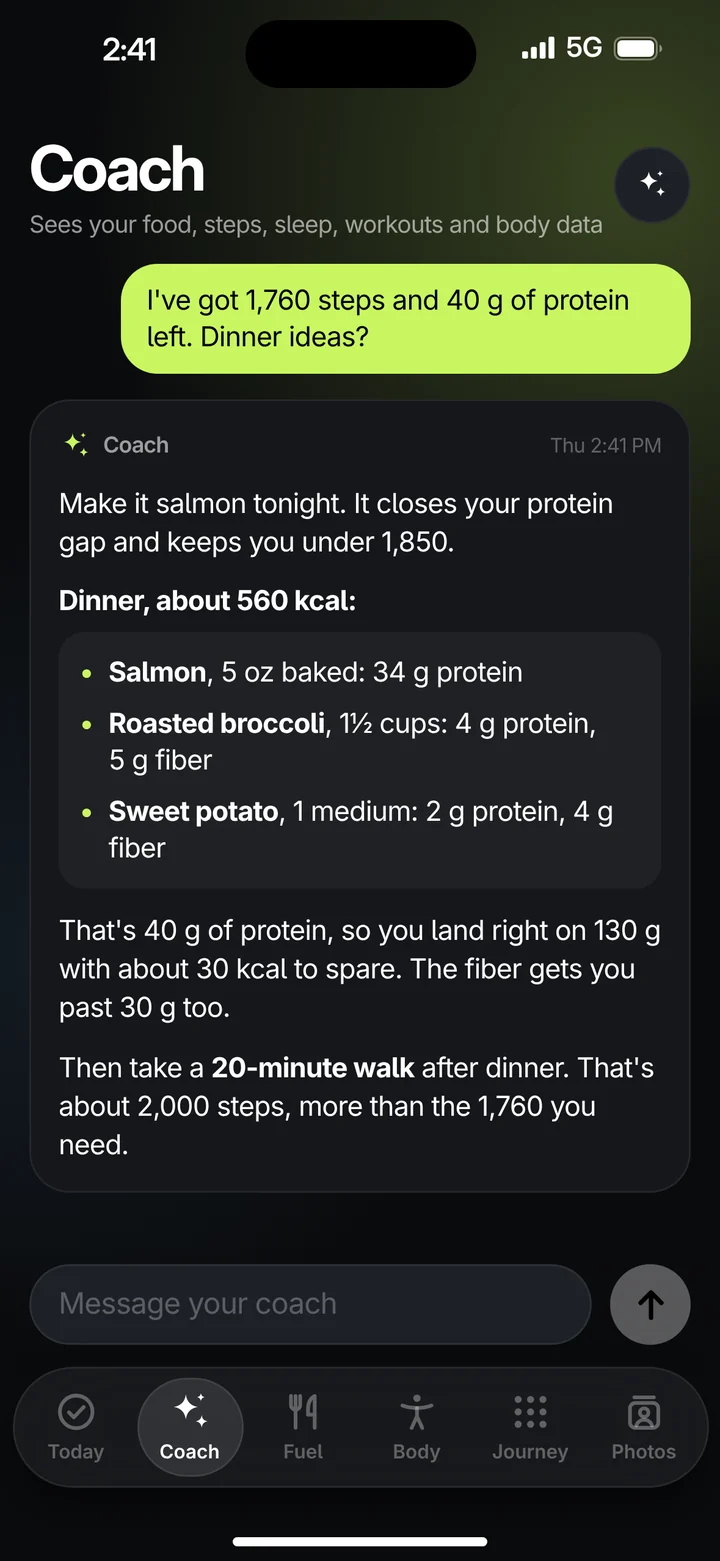
    The AI coach, included with Unwaver Pro, sees your food, steps, sleep, workouts and body data. It builds and adjusts your plan, and when you ask what’s for dinner, it plans the meal around what’s left of your day.

    Coach conversation suggesting a 560 kcal salmon dinner to close a 40 g protein gap, then a 20-minute walk.
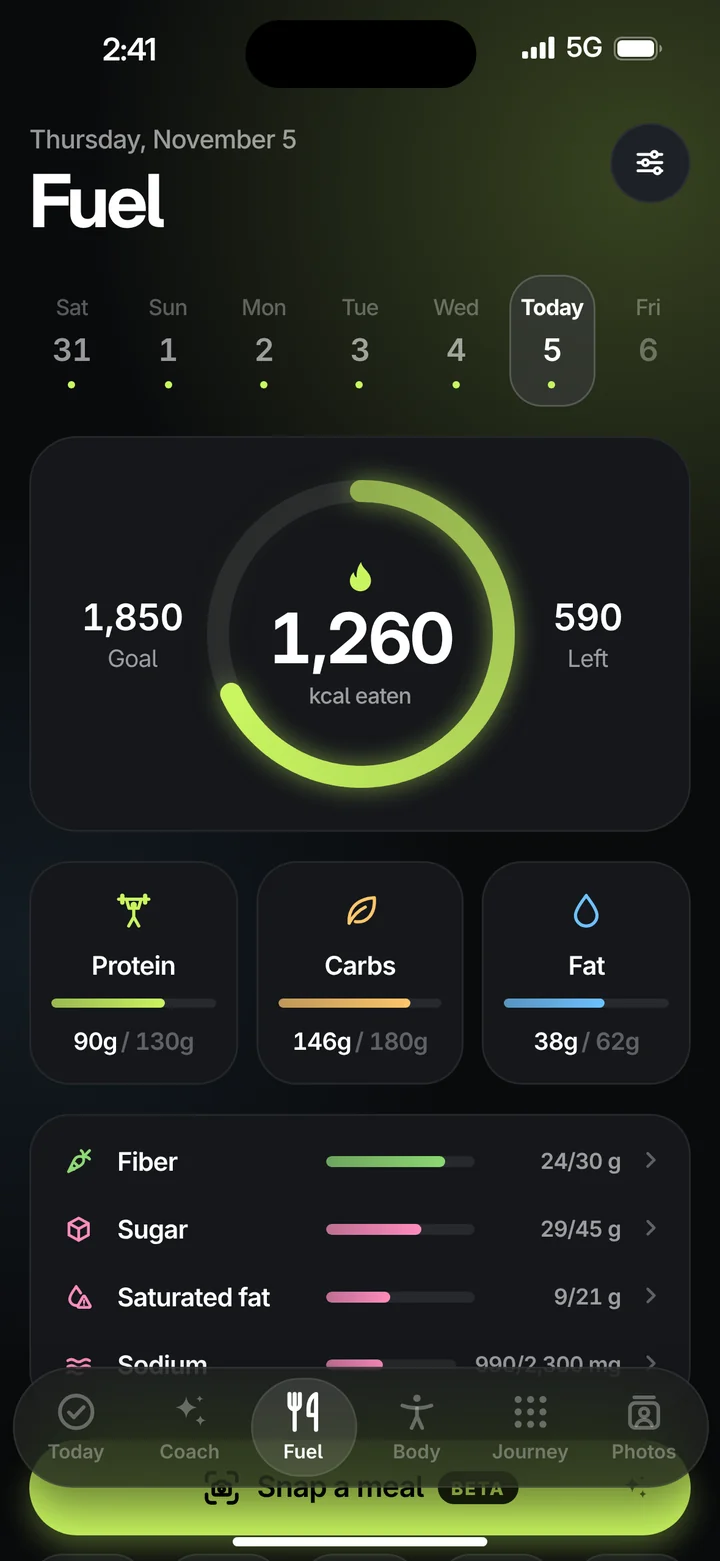
Fuel screen: 1,260 of 1,850 kcal eaten, with protein, carbs, fat, fiber and sugar against targets.

Log food the way you actually eat.

Fuel tracks calories, macros and the nutrients you care about against your own targets, in the same app as the rest of your challenge.

  • Scan or search. Scan a barcode, or search the USDA food database.
  • Name it once. Photograph a nutrition label and save the food under your own name. Next time, it shows up first. Pro
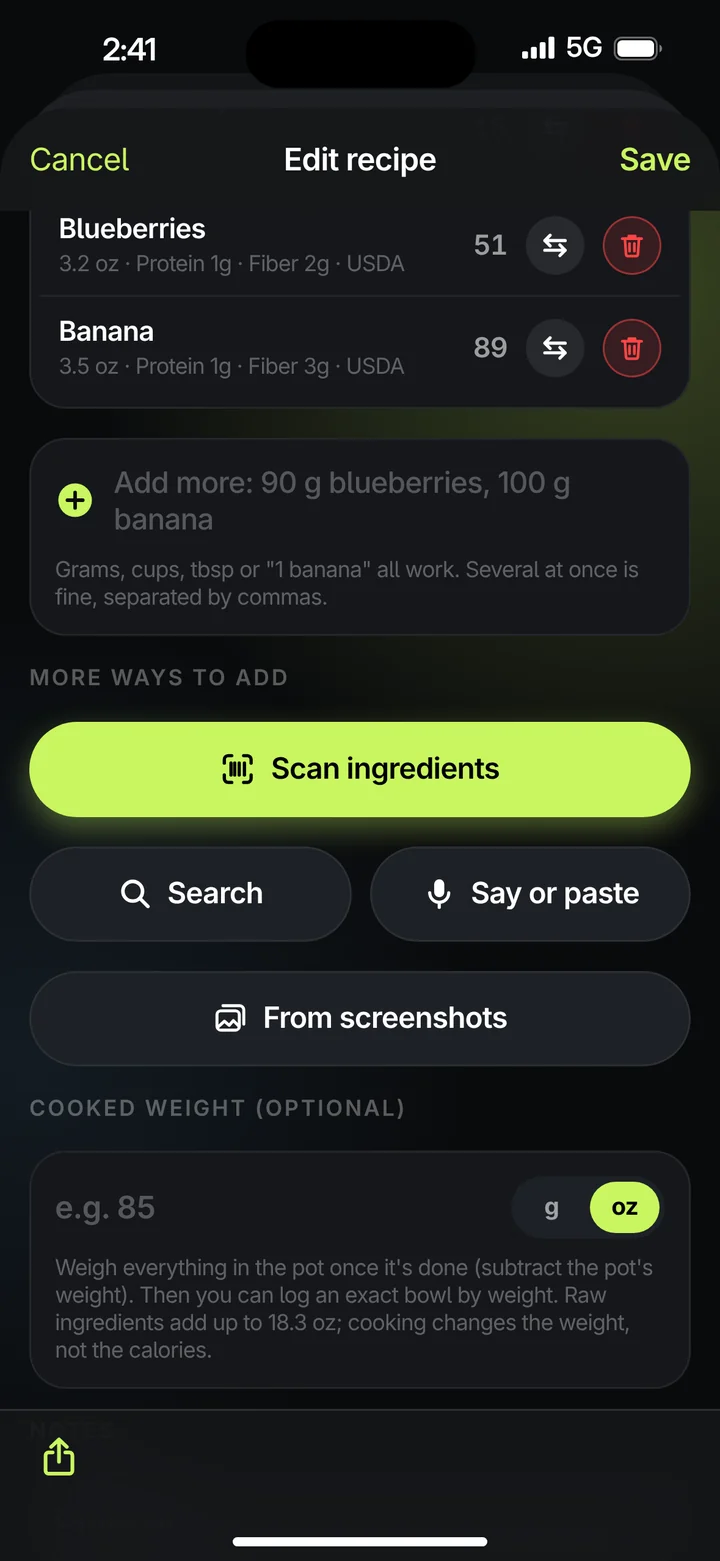
  • Recipes you can change. Build a recipe, or read one from a screenshot Pro, and edit the ingredients any time later.
  • Grams or ounces. Whichever your kitchen scale speaks.
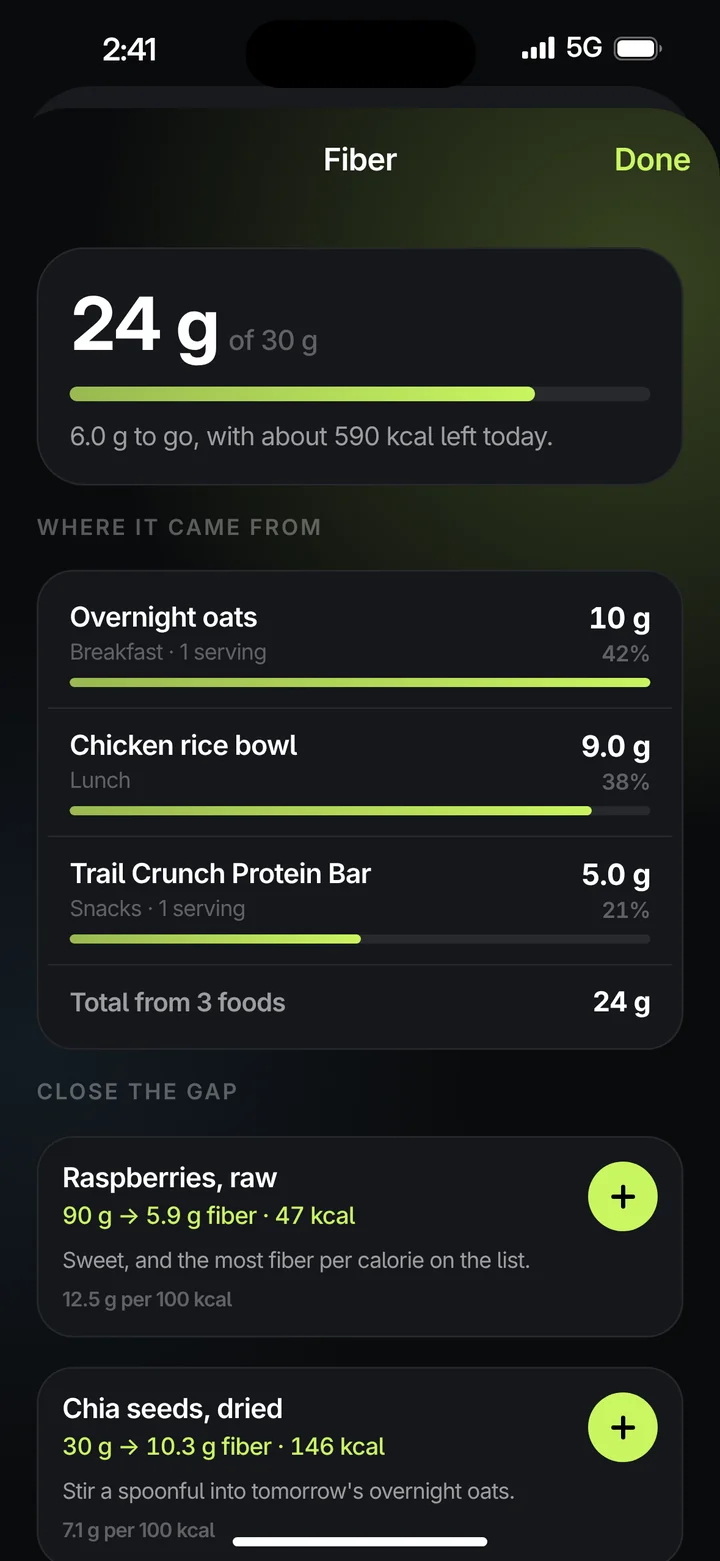
  • Follow a nutrient back. Tap fiber, or any nutrient, to see which foods it came from.
  • Limits and minimums. Carbs and fat warn you when you go over. Protein and fiber are minimums to reach.
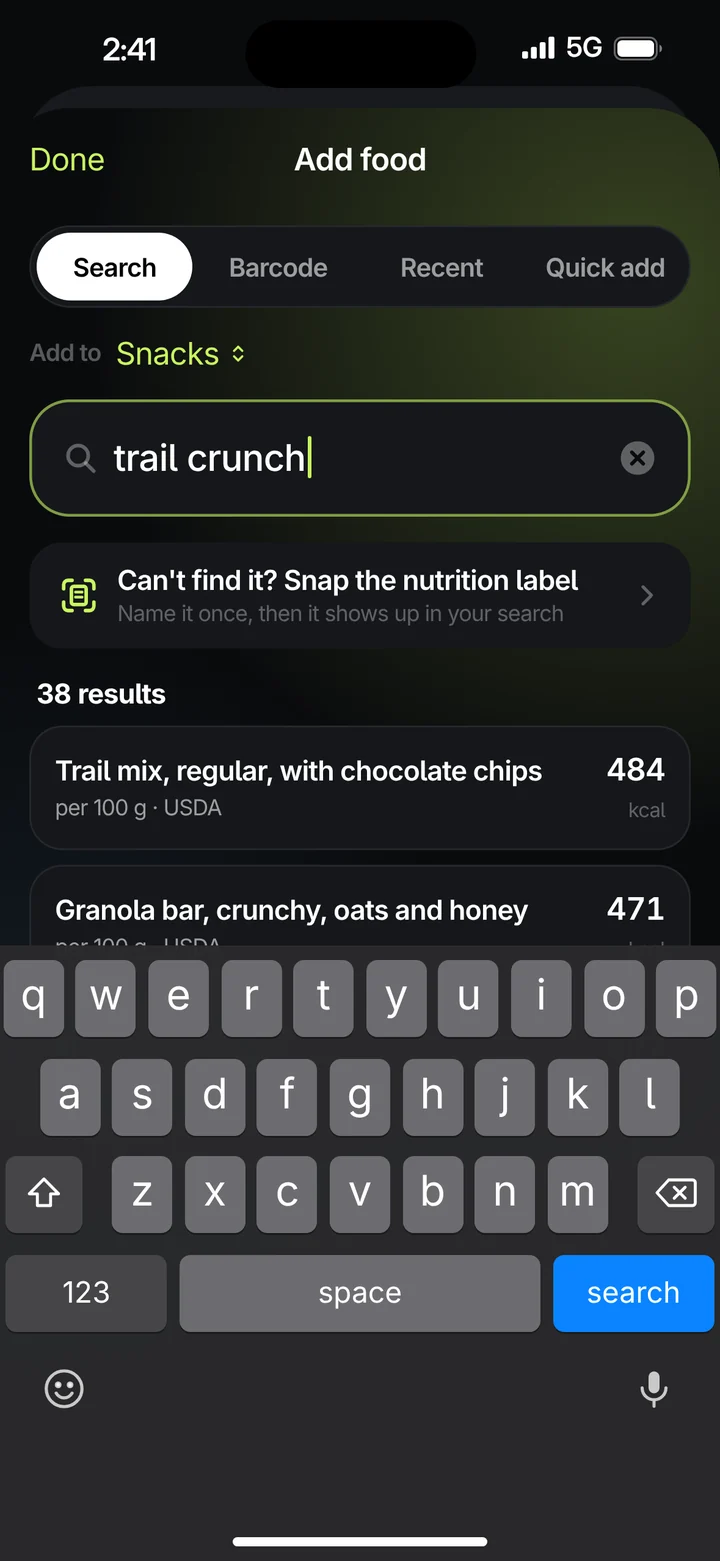
Add food: searching “trail crunch” in the USDA database, with an option to snap the nutrition label instead.
Search or scanSearch the USDA database or scan a barcode. Can’t find it? Snap the label.
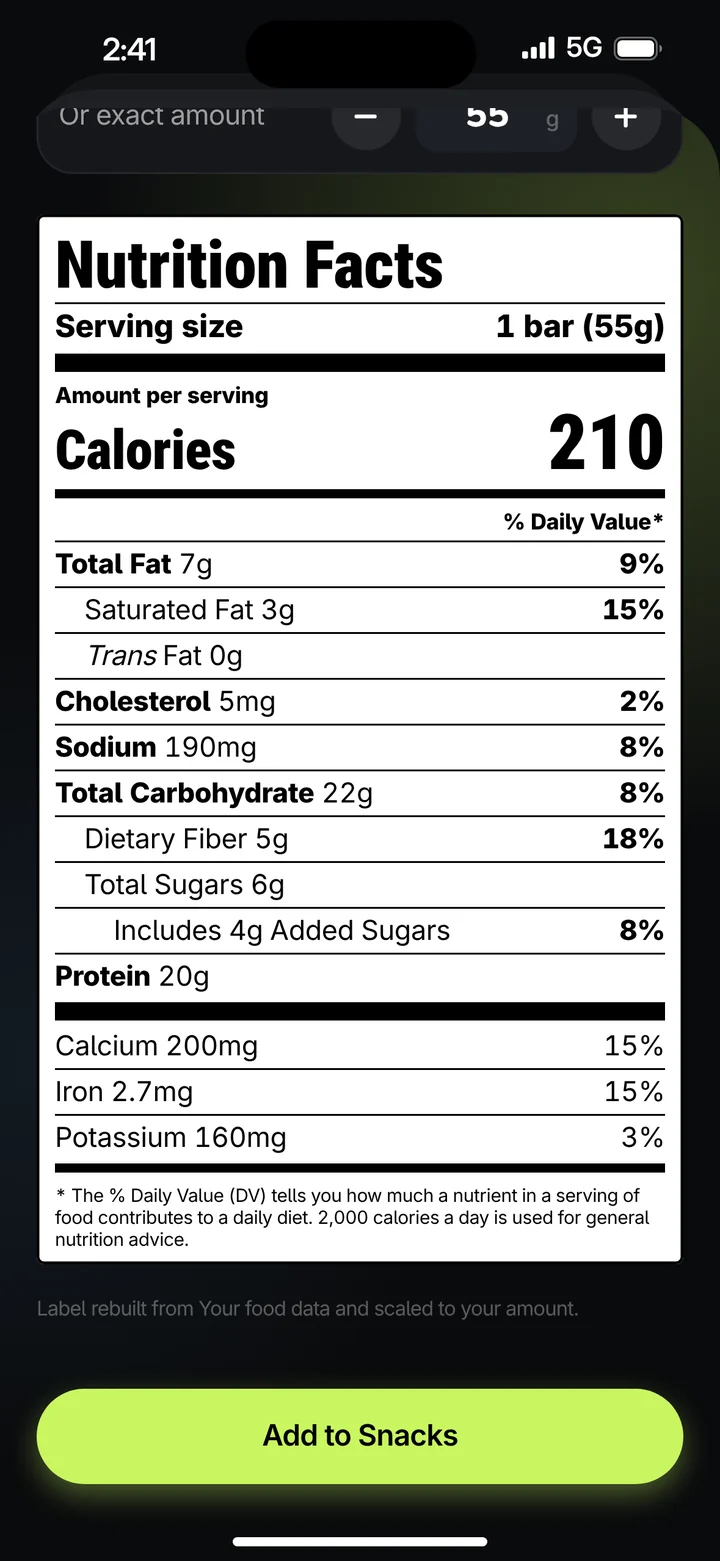
A saved protein bar with the classic black-and-white Nutrition Facts panel, scaled to one 55 g bar.
The label you knowSnap a nutrition label once. It comes back as the classic Nutrition Facts panel, saved under your own name.
Fiber detail: 24 of 30 g, with the foods it came from and suggestions to close the gap.
Where your fiber came fromEvery nutrient breaks down by food, with ideas to close the gap.
Editing the overnight oats recipe in ounces, with options to scan ingredients, search, or add from screenshots.
Recipes that stay editableSwap any ingredient and the numbers follow, in grams or ounces.
BetaPro

Snap a meal. Then adjust.

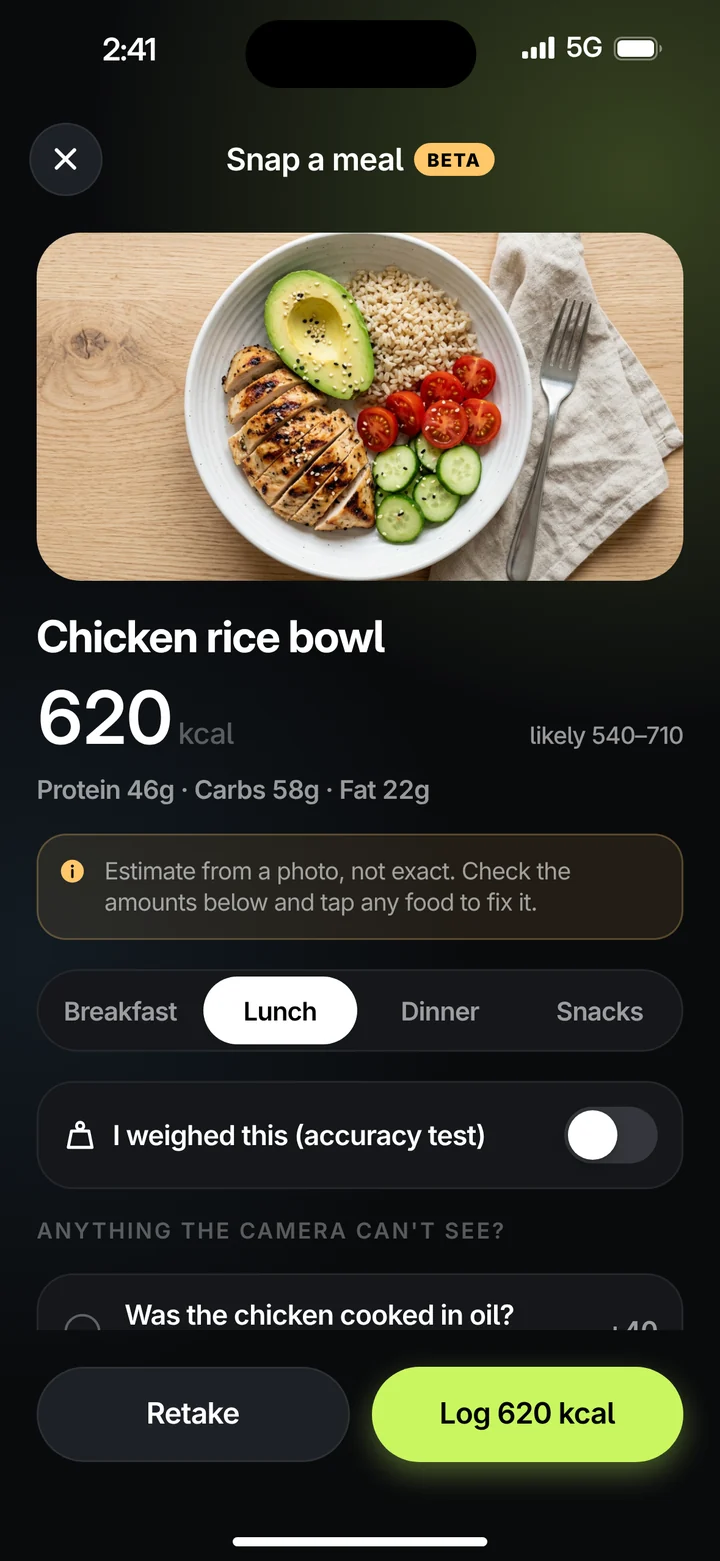
Take a photo of your plate and Unwaver estimates the calories and macros, item by item, with a likely range.

It’s an estimate, not a measurement. A camera can’t see the oil in the pan. Check the amounts, tap any food to fix it, then log it.

Snap a meal result: chicken rice bowl, 620 kcal, likely 540 to 710, with a note that it’s an estimate from a photo.

Day 1 and Day 60, finally side by side.

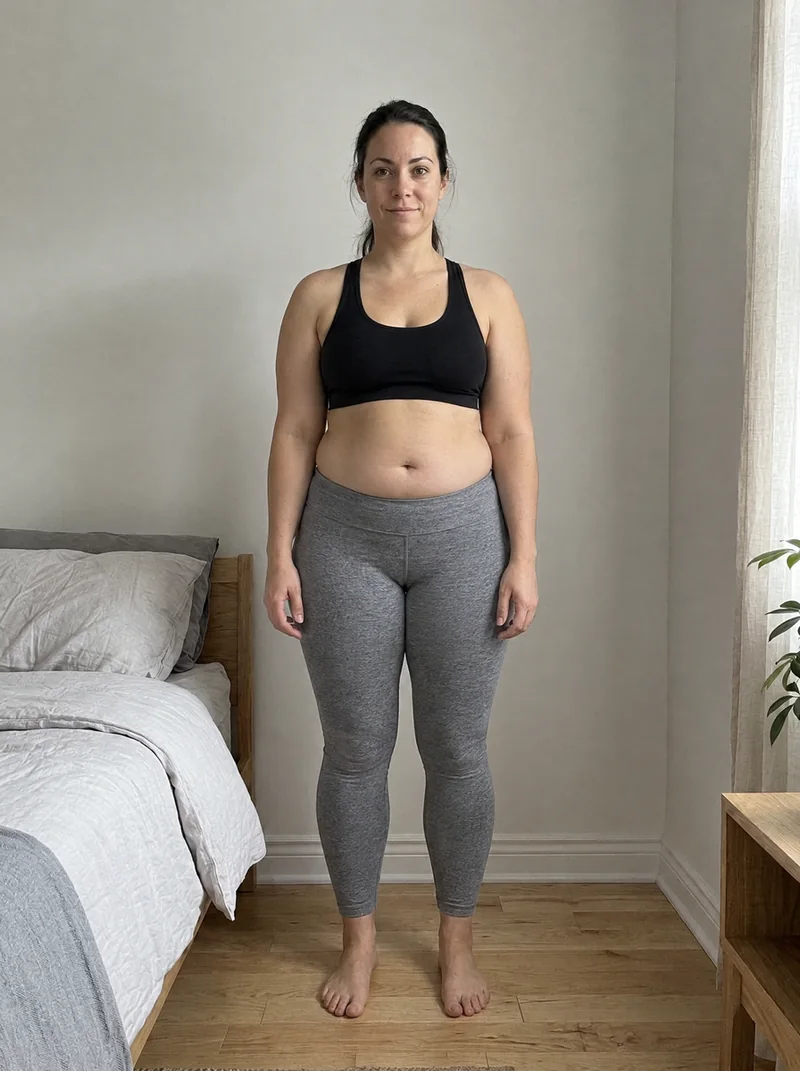
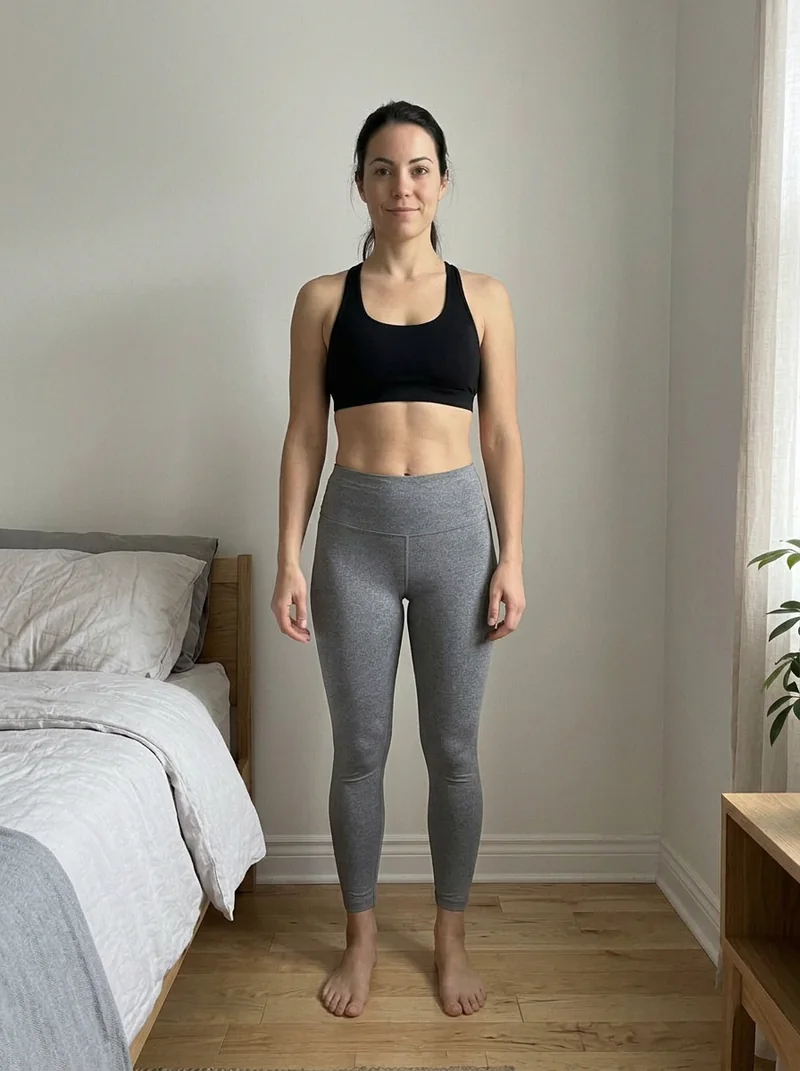
Take a progress photo as one of your tasks. Weight, body fat and muscle sit under each one.

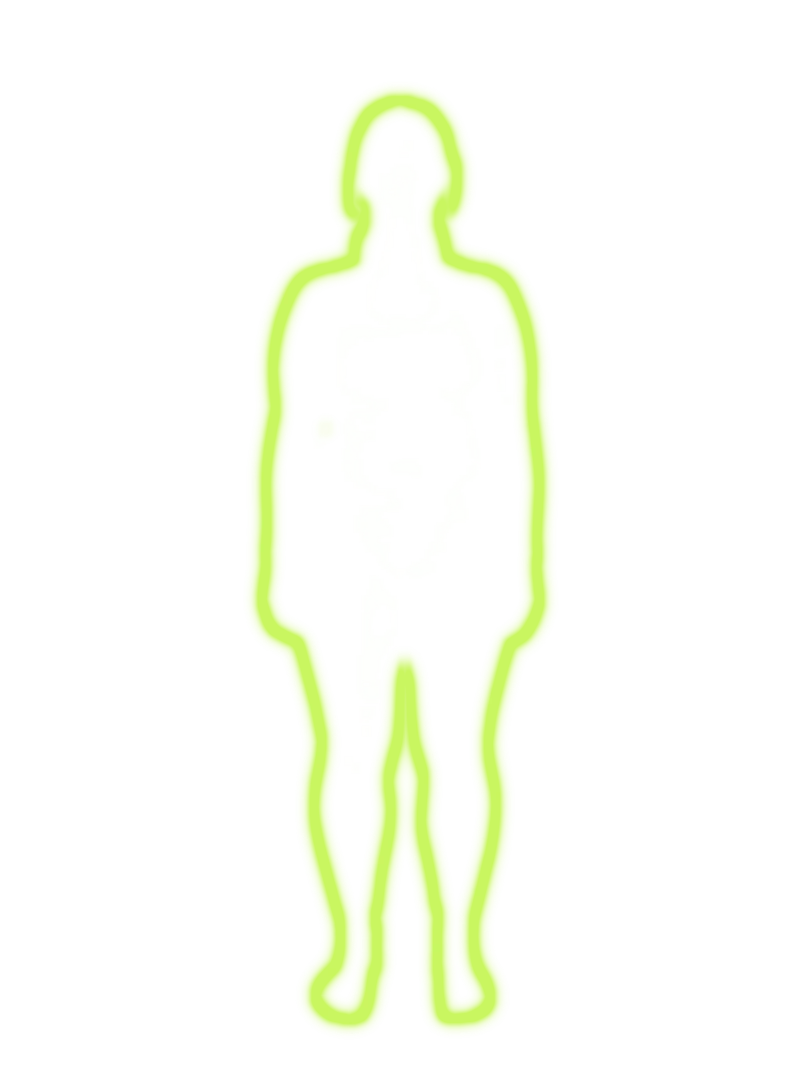
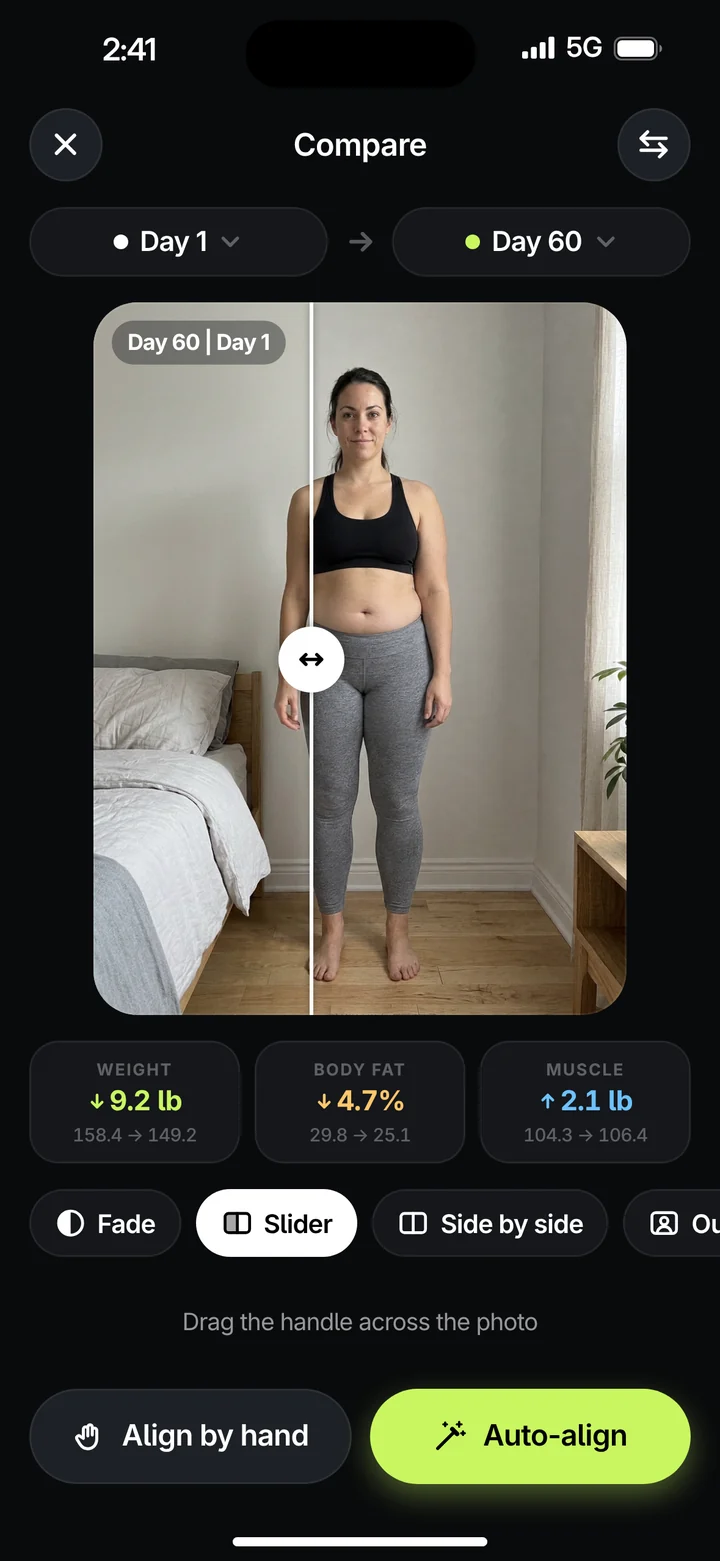
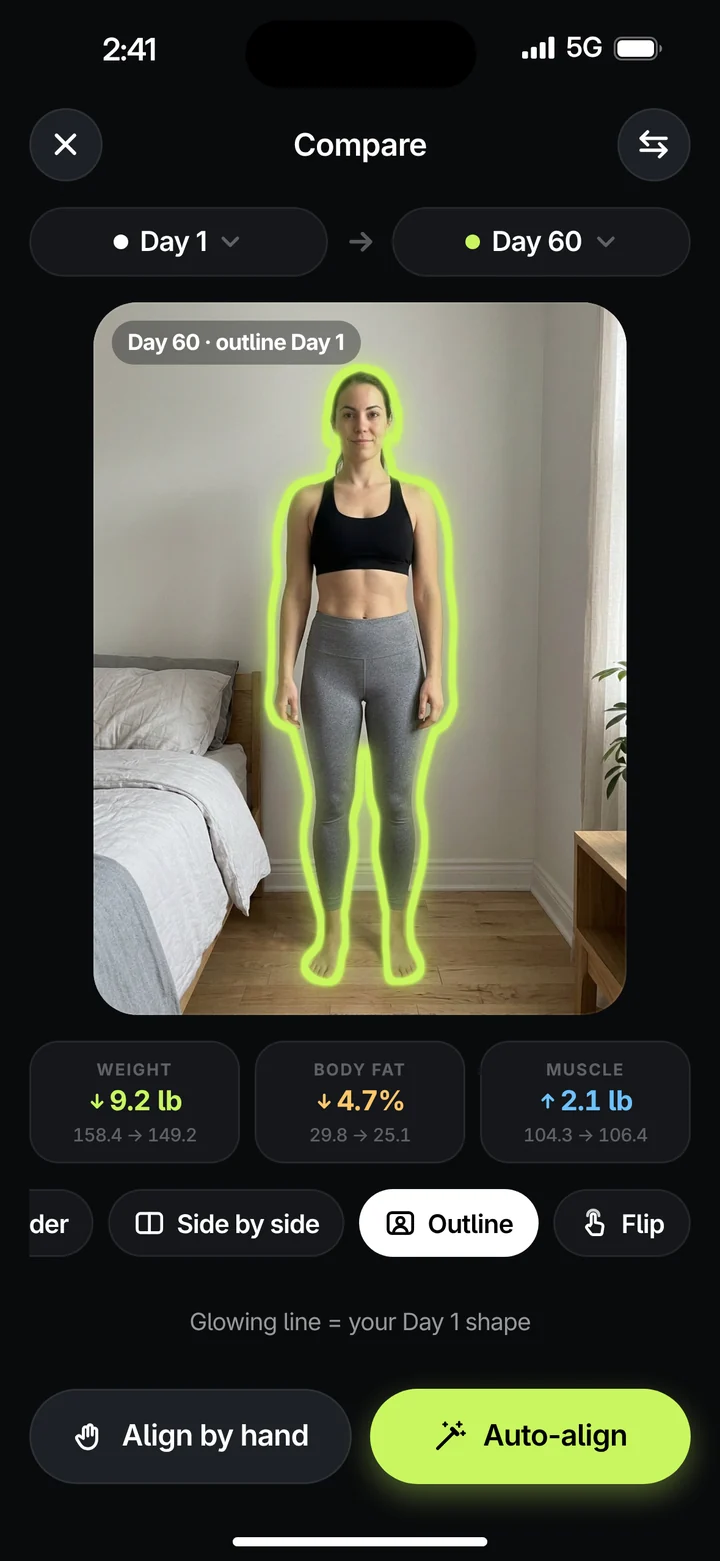
Compare any two days side by side, wipe across with a slider, fade one over the other, or turn on Outline: your Day 1 shape, drawn in light around you today. Auto-align lines them up, so the change you see is you and not the camera angle.

Weight
−9.2 lb
158.4 to 149.2
Body fat
−4.7%
29.8 to 25.1
Muscle
+2.1 lb
104.3 to 106.4
Progress photo, Day 1. Progress photo, Day 60. Day 1 Day 60

Drag to fade from Day 1 into Day 60.

No one else needed

Phone on a stand. Same spot every time.

Prop your phone up, set the 3 or 10-second timer and step back. A ghost of your last photo shows exactly where to stand, so Day 60 lines up with Day 1.

Compare screen in Slider mode, wiping between Day 1 and Day 60.
Compare screen in Outline mode: Day 60 with the Day 1 body shape drawn as a glowing lime line.

Your challenge stays on your iPhone.

Your tasks, food log, health data and progress photos are stored on your device. We can’t see them.

No account
Open the app and start. There’s nothing to sign up for.
No ads, no tracking
No analytics SDKs, no tracking across other apps or websites. We never sell data.
Health data stays put
Apple Health and Oura data are used inside the app to check off tasks and show progress. Never for ads.
AI asks first
AI features ask your permission first and send only what’s needed to answer you. You can turn them off in Settings.

When you use an AI feature, this is the whole trip.

  1. Your iPhoneSends the photo or question, plus only what the answer needs.
  2. Unwaver’s serverPasses it on, encrypted. Keeps no content, only a daily request count.
  3. Anthropic’s ClaudeWrites the answer. API data isn’t used to train its models.
Read the privacy policy

Two plans. A week free.

Both start with a 7-day free trial and are billed by Apple. Pro adds the AI.

Unwaver

Everything except AI.

$29.99per year

About $2.50 a month, billed yearly.

  • Today ring with daily tasks and weekly goals
  • Automatic check-offs from Apple Health, Apple Watch and Oura
  • Food log with barcode scan, USDA search and recipes
  • Smart reminders and a Lock Screen Live Activity
  • Progress photos with side by side, slider, fade and outline

7-day free trial

Unwaver Pro

Everything in Unwaver, plus AI.

$59.99per year

About $5 a month, billed yearly.

  • Everything in Unwaver
  • Snap a meal (Beta): calories and macros estimated from a photo
  • AI coach that builds and adjusts your plan
  • Meals planned around what’s left of your day
  • Reads recipes, screenshots and nutrition labels

7-day free trial

Questions

Unwaver is coming soon to the App Store for iPhone. Questions before then? Email support@getunwaver.app.

One with an end date, like a 75-day challenge, or an ongoing one that keeps going. You set the daily tasks and the weekly goals, or let the AI coach build the plan with you on Pro.

No. They’re what let workouts and sleep check themselves off, through Apple Health and Oura. Your iPhone already counts steps in Apple Health, and you can check off any task yourself.

It’s a Beta feature, and its numbers are estimates from a photo, shown with a likely range. Check each item and adjust what’s off before you log it. When you need exact numbers, scan the barcode or use the nutrition label.

Nothing until you use an AI feature and say yes. Then the photo or text you provide, plus the information it needs to answer you (like today’s food log or your goals), goes through Unwaver’s server to Anthropic’s Claude. Our server doesn’t store it. You can turn AI off in Settings › AI & privacy.

No. There are no accounts. Your data lives on your iPhone, and deleting the app deletes everything it stored.

Both plans start with a 7-day free trial. Payment is charged to your Apple Account, and subscriptions renew automatically unless cancelled at least 24 hours before the end of the period. Cancel any time in Settings › Apple Account › Subscriptions.

No. Unwaver is a habit and nutrition tracker, not a substitute for a doctor or registered dietitian. Talk to your doctor before starting a new diet, exercise or challenge.

Don’t waver.

Coming soon to the App Store